
Roblox Overview
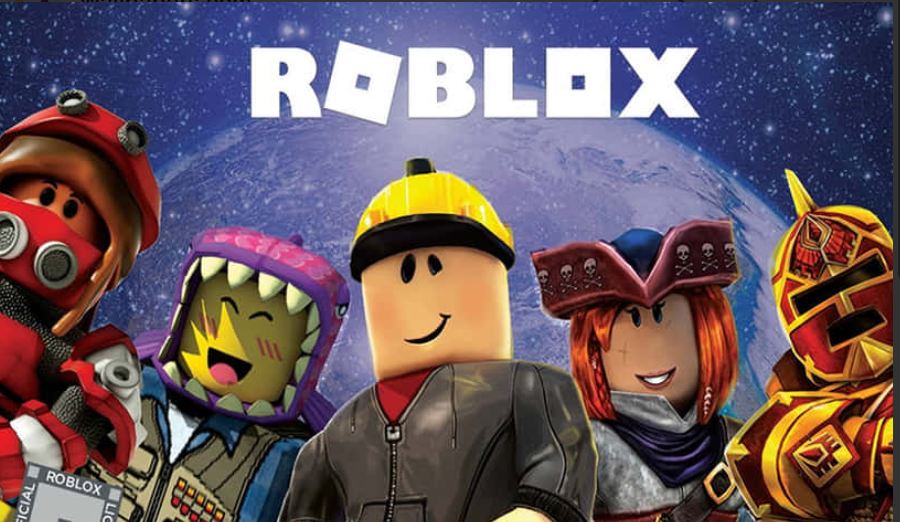
Roblox is more than a game; it is a platform where people play, build, socialize, and sometimes earn real money. It brings together a player app, a free creation tool, and a virtual economy. Millions of people log in to try short games, hang out with friends, roleplay, or explore worlds made by other users. This article explains what Roblox is, how it works, how to stay safe, how creators can earn, and practical steps for parents and new makers. It is written in plain, natural English without technical fluff so you can use it for teaching, publishing, or just learning.
What Roblox feels like to play
When you open Roblox you see a long list of “places” — each is a small experience, like a mini-game, social lounge, or roleplay scene. Sessions can be very short (a quick race or obstacle course) or longer (roleplay hangouts, simulators). Many experiences are social; players meet friends, chat, and move between different places together. The design of Roblox favors fast, repeatable play: short wins and simple goals keep people coming back. That makes it ideal for creators who want quick feedback and steady growth rather than one-shot blockbuster games.
Quick facts at a glance : Roblox
| Metric | Approximate figure | Why it matters |
|---|---|---|
| Monthly active users (MAU) | Hundreds of millions | A huge audience for games, events, and social hangouts. |
| Creator earnings (year) | Over $1 billion (recent 12-month period) | Shows that creators can earn meaningful amounts. |
| Built-in creation tool | Free to use | Low barrier for beginners who want to learn game making. |
Who uses Roblox and why it matters
Roblox attracts kids, teens, and a growing number of adults. Younger players enjoy the social and imaginative side; teens and adults often join to play with friends, learn creation, or follow creators they like. For creators, Roblox is attractive because the tools are free and the platform already brings an audience. For parents and educators, Roblox can be a place to introduce coding, design, and teamwork if safety steps are followed.
How the platform is organized — plain explanation
Roblox has three main parts: the player app (where people join games), Roblox Studio (where creators build and test), and the platform’s economy (the virtual currency and storefront). Players browse experiences, join a friend, use chat, and sometimes buy items or game passes with the platform currency. Creators publish places, add monetization options, and can convert platform currency to real money if they meet rules. The whole system is designed to let creators grow an audience, iterate quickly, and scale up when experiments succeed.
Simple starter checklist for new players
• Create an account with an email you control and a unique password.
• Set the correct birth year when you sign up — age controls change what the platform allows.
• Edit privacy settings to limit who can message or join you.
• Use reporting and blocking tools when someone acts badly.
• Talk with a parent about spending and screen time before buying anything.
Table: common terms explained (handy for beginners)
| Term | Short explanation |
|---|---|
| Robux | The virtual currency used to buy avatar items, game passes, and other digital goods. |
| Game pass | A paid item that gives players special access or perks inside a specific game. |
| Avatar | Your personal in-game character that you can dress and customize. |
| DevEx | A program that allows eligible creators to exchange earned platform currency for real money. |
| Roblox Studio | The free program creators use to build games and experiences. |
Safety — what’s built in and what parents should do
The platform uses automated filters and moderation to block clearly inappropriate content. For younger users, text and chat are filtered more strictly and some content is restricted by default. In recent years, the platform also added stronger parental controls so caregivers can view friend lists, set spending limits, and limit screen time. These tools help, but they don’t remove the need for active supervision, clear rules, and conversations about online behavior.
Practical parental steps that work
• Link your account to your child’s so you can manage settings from your device.
• Set chat and friend permissions to “Friends” or “No one” for younger players.
• Turn on purchase approvals so every Robux purchase goes through a parent.
• Use device-level screen time limits in addition to platform settings.
• Keep devices in family spaces when children play.
• Regularly review friend lists, recent activity, and the games they play.
How creators actually make money — the basics
Creators can earn when players spend inside their experiences. Common monetization methods are game passes (one-time purchases for perks), in-game currency and items, VIP access, and special cosmetic items for avatars. The platform takes a percentage, and creators keep the rest in platform currency. If creators meet eligibility rules, they can exchange that currency for real money through the developer exchange system. Over recent reporting periods, creators worldwide have earned well into the hundreds of millions, showing how serious the creator economy has become.
Ways to earn that beginners can try
• Make a short, repeatable game with a single, clear paid perk.
• Design and sell simple avatar clothing like shirts and hats.
• Offer cosmetic-only upgrades — players like visual flair more than power boosts.
• Team up with other creators to learn faster and share workload.
• Focus on retention (daily returns) rather than one-time spikes.
How to make a simple, successful game — a realistic path
-
Pick a small idea: obstacle course, mini-race, or a social hangout. Start tiny and finish something.
-
Polish the first minute of play — players decide quickly if a place is fun.
-
Add a small monetization option that feels optional and fair.
-
Release, watch analytics, and fix the biggest problem players report.
-
Repeat: small, frequent updates keep players returning and spread word-of-mouth.
Mid-article comparison table — types of experiences and what to expect
| Experience type | Typical session | Good monetization | Best first project? |
|---|---|---|---|
| Obstacle course (obby) | 3–10 minutes | Game passes, ads | Yes — easy to prototype |
| Roleplay hangout | 15–45 minutes | VIP rooms, cosmetic items | Yes — community focus |
| Tycoon / simulator | 30+ minutes | In-game boosts, timed features | Intermediate — needs balancing |
| Competitive minigames | 5–20 minutes | Entry fees, leaderboards | Intermediate — polish matters |
| Event-based hangouts | Variable | Sponsored events, cosmetics | Good for community building |
Community and moderation — what creators should know
Moderation is layered: filters, automated detection, and human reviewers. Creators should add their own protections inside games, such as chat restrictions for new players, reporting buttons, and moderators for larger communities. Community rules and clear punishments for bad behavior also make a big difference. Encourage players to report abuse and make policies visible inside your game so families feel safe trusting it.
Dealing with common creator problems — simple fixes
• Poor retention: add short goals and daily rewards so players have a reason to return.
• Performance issues: reduce object count, simplify scripts, and test on low-end devices.
• Toxic chat: add stricter filters and restrict chat for new accounts.
• Unfair monetization complaints: balance a free progression path with optional cosmetics.
Learning Roblox Studio — a step-by-step beginner plan
Week 1: Install Studio and follow three short official tutorials. Make an obby and publish a basic place.
Week 2: Learn simple scripting concepts in Lua: control movement, open a door, give a reward.
Week 3: Add a small shop and a free reward each day to practice persistence.
Week 4: Polish visuals, invite friends to test, and collect feedback. Repeat with small updates and read analytics to decide the next change. There are many short lessons and community groups that help explain each step without jargon.
Practical advice for teachers and parents who want to use Roblox positively
Use Roblox as a tool for teaching game design, logic, and teamwork. Set clear project goals for students, require reusable assets, and emphasize fair play and privacy best practices. For parents, encourage creative projects rather than only play time; building teaches skills and shifts the focus from passive consumption to active learning.
Safety news and recent changes — what adults should know
The platform has been adding safety features and stricter controls in response to concerns. Newer protections include better parental tools, age-based communication limits, and improved content labeling so younger players see safer experiences by default. The platform is also experimenting with age estimation tools to help match chat permissions to likely user age categories. These changes aim to reduce risk but do not remove the need for caregiver involvement.
Final checklist before a child plays or a creator publishes
• Accounts: unique password and correct birth year.
• Privacy: set messaging and joining to Friends or No one for young users.
• Spending: require parent approval for purchases.
• Supervision: keep devices in shared spaces if children are young.
• Education: talk about strangers, personal info, and healthy play time.
• Creator checklist: test on low-end devices, add reporting, and start small.
The future of Roblox and why it still matters
Roblox continues to grow because it changes with its community. New tools, better graphics options, and improved safety controls are added step by step. This helps both players and creators feel more confident using the platform. For players, the future means richer worlds, smoother gameplay, and more social features. For creators, it means better ways to test ideas, earn income, and reach a global audience without heavy costs.
One strong reason Roblox stays relevant is its focus on user creativity. New experiences appear every day, so the platform never feels old. A simple idea can suddenly become popular if players enjoy it and share it with friends. This makes Roblox different from traditional games that rely on one fixed story or mode.
For parents, the future depends on smart use. When safety tools are used properly and play time is balanced with other activities, Roblox can be a positive space. Children can learn problem-solving, creativity, and teamwork through building and playing. Talking regularly about online behavior and setting clear rules helps build trust.
For creators, patience is key. Success rarely comes from one game. Most creators improve by making small projects, learning from mistakes, and listening to players. Over time, skills in design, scripting, and community management grow. These skills are useful even outside the platform.
Overall, Roblox is likely to remain important because it blends play, learning, and creation. Used wisely, it can be fun, educational, and rewarding for players, families, and creators alike.
Closing thoughts
Roblox combines play, creativity, and a real creator economy in one platform. It can be a safe place to learn design and coding, to socialize, and for creators to build an audience and earn money. The key is to use the platform’s tools, follow safety steps, and keep conversations open between children and caregivers. For new creators the best approach is small, repeatable projects that solve one simple problem well. For parents the best move is active involvement: set rules, use the parental tools, and talk regularly about what children are doing and who they are talking with.
If you want, I can now create one of the following right away: a ready-to-publish parent guide (printable), a 30-day beginner plan for learning Roblox Studio with daily tasks, or a short safety checklist you can pin to a device. Tell me which one you wan