
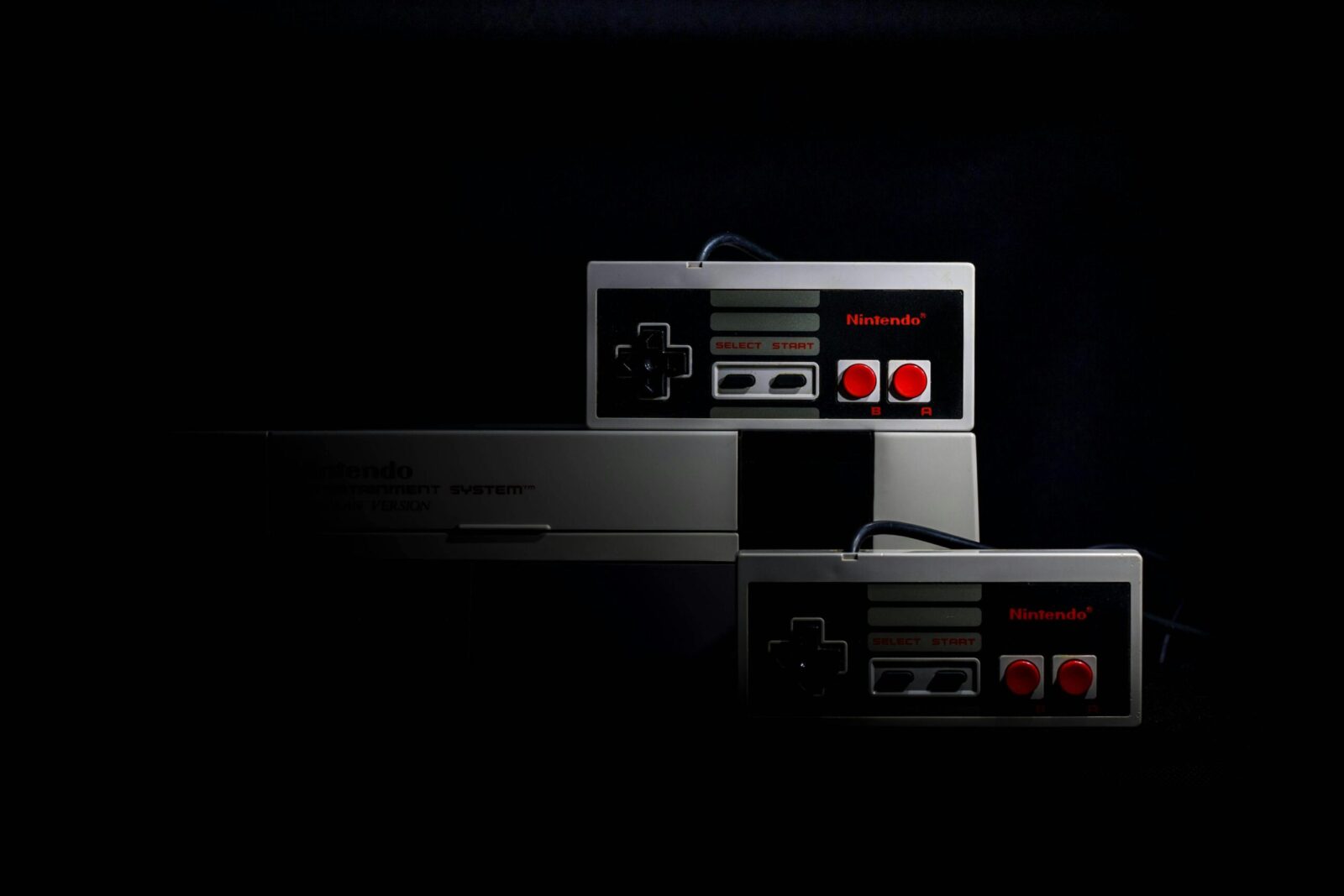
Retro gaming hardware restoration is a rewarding hobby that allows enthusiasts to preserve and revive classic video game consoles from the 1980s, 1990s, and early 2000s. With the resurgence of interest in vintage gaming systems like the NES, SNES, Sega Genesis, PlayStation, and Game Boy, restoring these devices not only extends their lifespan but also maintains a piece of gaming history. Proper restoration techniques can fix common age-related issues, improve performance, and restore aesthetic appeal. This detailed guide covers everything from basic cleaning to advanced repairs, helping beginners and experienced restorers alike achieve professional results.
Why Restore Retro Gaming Hardware?
Vintage consoles are prone to degradation over time due to factors like dust accumulation, component aging, and environmental exposure. Common problems include power failures, audio/video glitches, cartridge reading errors, and plastic yellowing. Restoring these systems prevents further damage, enhances gameplay reliability, and increases collectible value. Many retro gamers find immense satisfaction in bringing a non-functional console back to life, often sharing their projects in online communities like Reddit’s r/retrogaming or r/consolerepair.
Essential Tools and Supplies for Restoration
Having the right tools is crucial for safe and effective retro gaming hardware restoration. Here’s a list of must-have items:
- Screwdrivers: A set including Phillips, tri-wing, and security bits (e.g., 3.8mm and 4.5mm game bits) to open various consoles like Nintendo and Sega systems.
- Cleaning Supplies: 90%+ isopropyl alcohol, soft brushes, Q-tips, microfiber cloths, and compressed air for removing dust and grime.
- Soldering Equipment: A quality soldering iron, solder wick, flux, and a multimeter for capacitor replacements and board repairs.
- Deoxidizers and Cleaners: Contact cleaner for switches and ports; vinegar or specialized solutions for battery corrosion.
- Replacement Parts: Capacitor kits, fuses, power regulators, and AV cables sourced from reputable suppliers like Console5 or Retro Modding.
- Safety Gear: Anti-static wrist strap, gloves, and ventilation for working with chemicals.
Investing in these tools ensures precise work and minimizes the risk of damaging delicate components.
Common Issues in Retro Gaming Hardware
Aging hardware leads to predictable problems. Identifying them early is key to successful restoration.
- Power Problems: Faulty power supplies, switches, or leaked capacitors prevent consoles from turning on.
- Cartridge/Disc Reading Errors: Dirty connectors in cartridge-based systems (e.g., NES 72-pin connector) or failing lasers in CD-based consoles (e.g., PlayStation 1).
- Audio/Video Glitches: Distorted sound, flickering screens, or no output due to bad capacitors or corroded AV ports.
- Controller Issues: Sticky buttons, drifting joysticks, or unresponsive inputs from worn membranes.
- Plastic Yellowing: Brominated flame retardants in ABS plastics react to UV light, causing discoloration.
- Capacitor Failure: Electrolytic capacitors from the 1980s–1990s era leak or drift out of spec, affecting stability in systems like Sega Game Gear, original Xbox, and many motherboards.
Preventive maintenance, such as recapping (replacing capacitors), is recommended for high-risk consoles like the Game Gear, where all units eventually fail without intervention.
Step-by-Step Restoration Process
Follow this structured approach for most retro consoles.
1. Initial Assessment and Disassembly
Diagnose issues by testing power, AV output, and game loading. Document with photos before disassembling. Use appropriate screwdrivers to open the case carefully—many consoles have hidden screws under labels or rubber feet.
2. Thorough Cleaning
Dust and dirt are the primary enemies. Use compressed air to blow out internals, then wipe boards with isopropyl alcohol. Clean cartridge slots with alcohol-dipped Q-tips (avoid blowing into cartridges, as it introduces moisture). For controllers, disassemble and clean buttons/membranes.
3. Reversing Plastic Yellowing (Retrobriting)
Yellowed plastics can be restored using the Retrobrite process:
- Submerge parts in 3–12% hydrogen peroxide solution (or apply gel for thicker coverage).
- Expose to UV light (sunlight or UVA lamps) for several hours to days, agitating periodically for even results.
- Rinse thoroughly and dry. Note: Results may be temporary, and over-treatment can weaken plastic. Alternatives include salon-grade cream peroxide for controlled application.
4. Capacitor Replacement (Recapping)
Critical for longevity:
- Identify leaking or bulging capacitors visually.
- Desolder old ones carefully (add fresh solder for easier removal).
- Install high-quality replacements (e.g., Nichicon or Rubycon brands) with matching or higher voltage/temperature ratings.
- Clean any leaked electrolyte with alcohol to prevent board corrosion.
Consoles like Sega Game Gear require full recaps; kits are available for precise values.
5. Connector and Port Repairs
Bend or replace warped cartridge pins (e.g., NES). Clean or resolder AV ports. For disc drives, clean/adjust lasers or replace belts.
6. Reassembly and Testing
Reassemble, apply new thermal paste if needed, and test extensively with multiple games. Burn-in test for hours to catch intermittent issues.
Advanced Techniques and Best Practices
- Modding for Modern Use: Add HDMI outputs, region-free mods, or everdrives for flash storage.
- Preventive Maintenance: Store in cool, dry, dark places; use dust covers; test annually.
- When to Seek Professional Help: For complex soldering or rare systems, services like Retro Regen or iFixit-guided repairs are ideal.
- Safety Tips: Work in ESD-safe environments; ventilate when using chemicals; backup firmware if modding.
Conclusion
Retro gaming hardware restoration combines technical skill with nostalgia, allowing you to enjoy classics like Super Mario Bros. or Sonic the Hedgehog as intended. With patience and the right approach, most issues are fixable at home. Start with simple cleaning projects and progress to recaps—communities and resources abound for guidance. By restoring these consoles, you’re not just fixing hardware; you’re preserving gaming heritage for future generations. Dive in, and experience the thrill of revival!